Self-registration
Visitors follow predefined steps independently.
RECEPTION AND CHECK-IN
ili Kiosk turns standard registration into a clear self-service process. Visitors can identify themselves, find their meeting or service, confirm the required information and receive instructions for the next step.
Suitable for business buildings, offices, receptions, medical centres, events, service centres and other places with a steady visitor flow.
WHEN RECEPTION IS THE FIRST BOTTLENECK
Welcoming a visitor often involves repetitive operations: finding a booking or meeting, entering data, choosing a service, confirming and routing. ili Kiosk can take on part of this process and create an additional registration point.
Visitors follow predefined steps independently.
Standard data entry and confirmation can be partly automated.
After registration, the system can route the visitor to the appropriate place, person or next step.
The kiosk complements reception rather than necessarily replacing it.
FROM THE ENTRANCE TO THE RIGHT PLACE
The visitor starts with a booking number, QR code, barcode, NFC or another method supported by the integration.
They enter or confirm the required information.
They select a meeting, service, department, host or another purpose defined by the process.
The system checks available information through the integrated software process.
They receive directions, a queue number, ticket, QR code or other information for the next step.
The visitor flow is defined around the organisation’s software and processes.
DIFFERENT IDENTIFICATION METHODS
ili Kiosk can be configured with different hardware modules according to the project.
A code sent in advance can quickly locate a registration, booking or visit when supported by the software.
An NFC module can be used with a compatible contactless card, device or other NFC carrier.
Visitors can enter a number, name, code or other information through the touch interface.
A specialised reader or camera/document module can be integrated after the hardware and software are confirmed.
Document reading, authenticity verification and biometric identification are not standard functions. Capabilities depend on confirmed compatible hardware and software.
BEFORE THE VISITOR ARRIVES
With a suitable system, visitors can receive a registration code or QR in advance and use it at ili Kiosk to find the visit without entering all information again.
Pre-registration and QR delivery are handled by the visitor-management or other integrated software.
FROM CHECK-IN TO SERVICE
With a queue-management system, ili Kiosk can be the interface where visitors choose a service and receive a queue number.
Queue management requires integration with the corresponding software platform.
MORE THAN REGISTRATION
After check-in, the system can present a clear next step: floor, office, room, counter, waiting area or other information supplied by the integrated system.
Directions to the right part of the building.
Information about where the visitor will be served.
Confirmation of the visit’s host where the process permits.
Waiting, payment, document collection or another stage.
A PHYSICAL RESULT WHEN NEEDED
ili Kiosk can be configured with a suitable print module for the application: a queue ticket, visitor confirmation, appointment information or a badge when appropriate hardware and software are used.
Badge printing is not a standard function unless a suitable label or badge printer is integrated.
CHECK-IN AND ACCESS
In visitor-management and access-control projects, check-in can connect to the access system when the required integration options are available. The kiosk does not control doors or issue secure credentials by default.
Functionality is defined by the access-control system and integration.
WHEN THE VISITOR ARRIVES
With visitor-management or another suitable system, successful registration can trigger a follow-up workflow, such as notifying an employee or host through the integrated system.
CONNECTED TO YOUR VISITOR FLOW
ili Kiosk provides the physical self-service point. The real process is built through its connection to visitor-management, booking, queue and other business systems.
Integration options are determined after analysing the software, APIs/interfaces and required process.
PERSONAL DATA AND PROCESS
Check-in systems often process personal data. The project should be configured for the organisation’s requirements and applicable law without assuming an automatic compliance guarantee.
Request only what is needed for the process.
Data should be available only to systems and people with a valid reason.
Retention periods follow the purpose and organisational policy.
Visitors should know why and how their data is processed.
A MODEL FOR THE RECEPTION
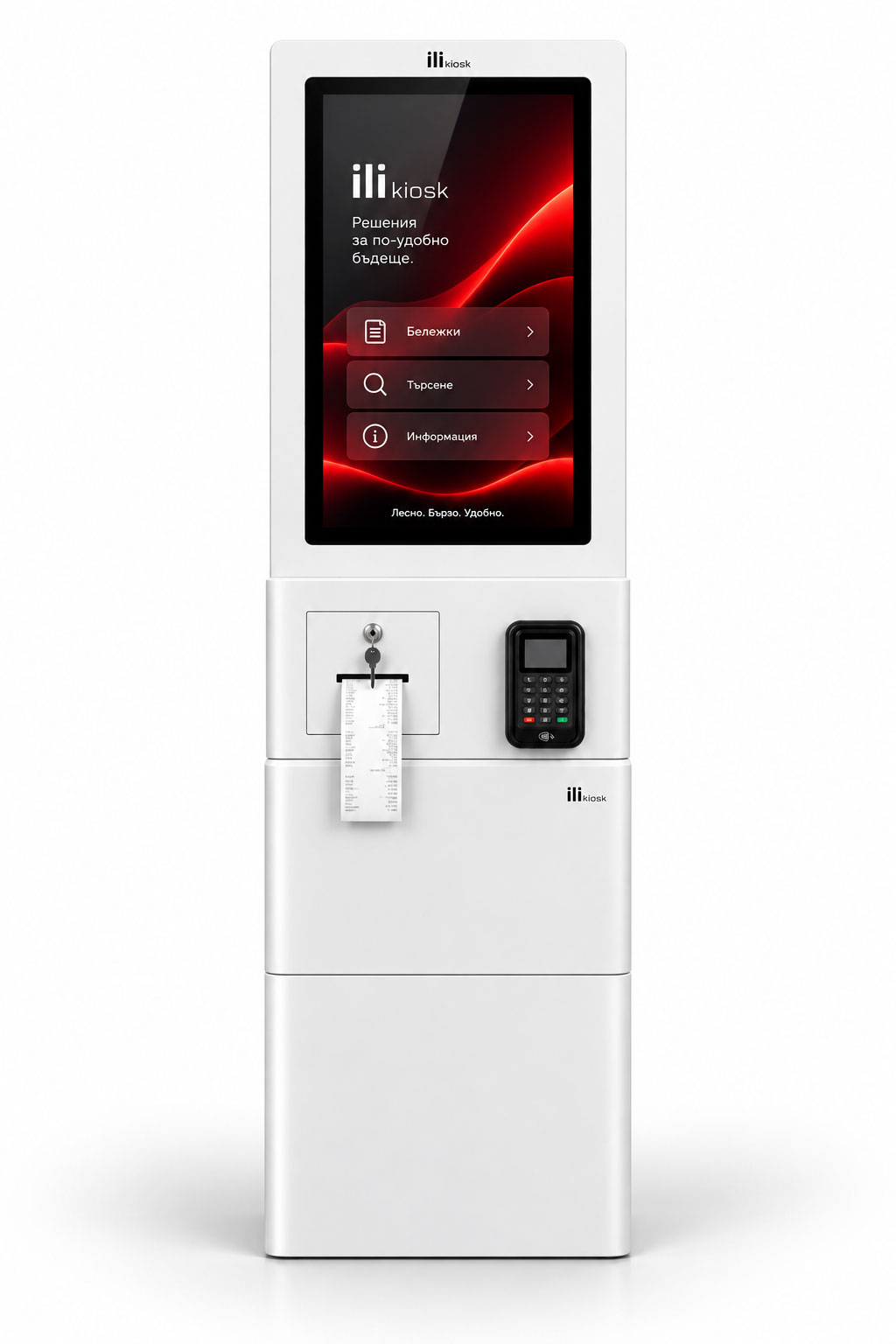
A visible freestanding point for a lobby, entrance or reception.
View ili One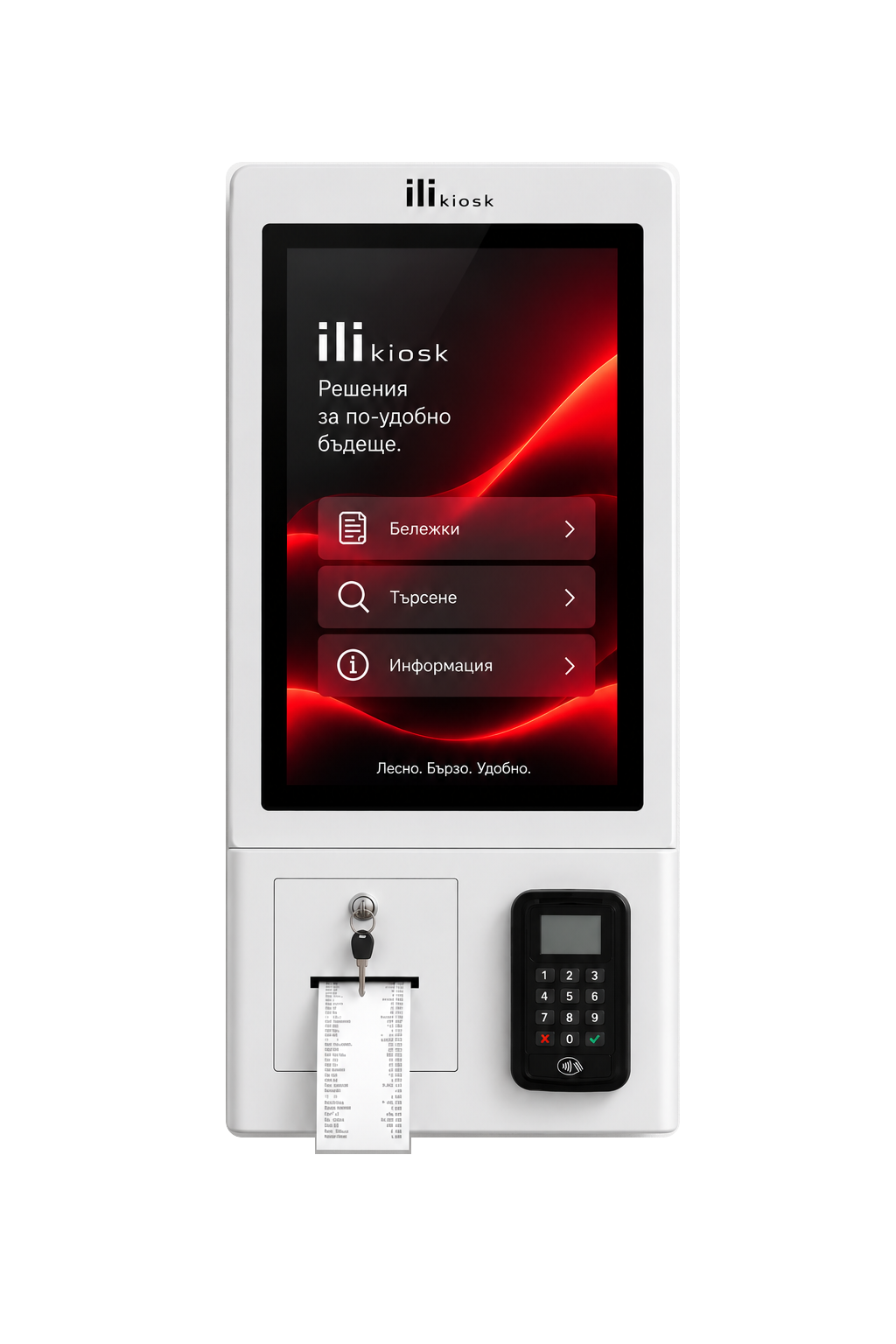
A compact wall- or countertop-mounted system for limited reception spaces.
View ili CompactONE PROCESS. MANY ENVIRONMENTS.
HOTEL CHECK-IN?
For projects covering hotel reservations, accommodation, payment, stay and check-out, see the dedicated hotel page.
Hotel solutionsDESIGNED AND SUPPORTED HERE
ili Kiosk is designed and manufactured in Bulgaria by PC Life. Every project combines construction, peripherals, software integration, implementation and ongoing support.
Configuration for the application.
QR, barcode, NFC, camera, printer and other modules added as needed.
Analysis of visitor-management and other business-software connections.
Local technical support and equipment service.
FREQUENTLY ASKED QUESTIONS
The visitor identifies themselves using a supported method, confirms or enters the required information and receives the next step: such as a queue number, directions or confirmation.
Yes, when the system supports pre-registration and QR identification. ili Kiosk can be equipped with a suitable scanner.
Yes. An NFC module can be integrated when the process uses compatible NFC cards or other carriers.
This depends on the hardware, document, required technology and software integration. Exact requirements are defined before selecting a compatible reader or document module.
A suitable printing module and software workflow can be integrated when required. This is not a standard function of every configuration.
Yes, when integrated with the relevant queue-management system and print or digital workflow.
This can form part of the integrated visitor-management workflow if the selected system supports it.
This is possible with a compatible access-control system and available interfaces. The process is defined individually.
ili One suits a freestanding lobby point, while ili Compact suits wall or countertop mounting.
YOUR VISITOR FLOW. YOUR CONFIGURATION.
Tell us who visits, how registration works today, which systems you use and what visitors should receive after check-in. We will propose the right model, peripherals and integration approach.