Additional checkout points
Self-checkout systems can operate alongside traditional checkouts.

SELF-CHECKOUT
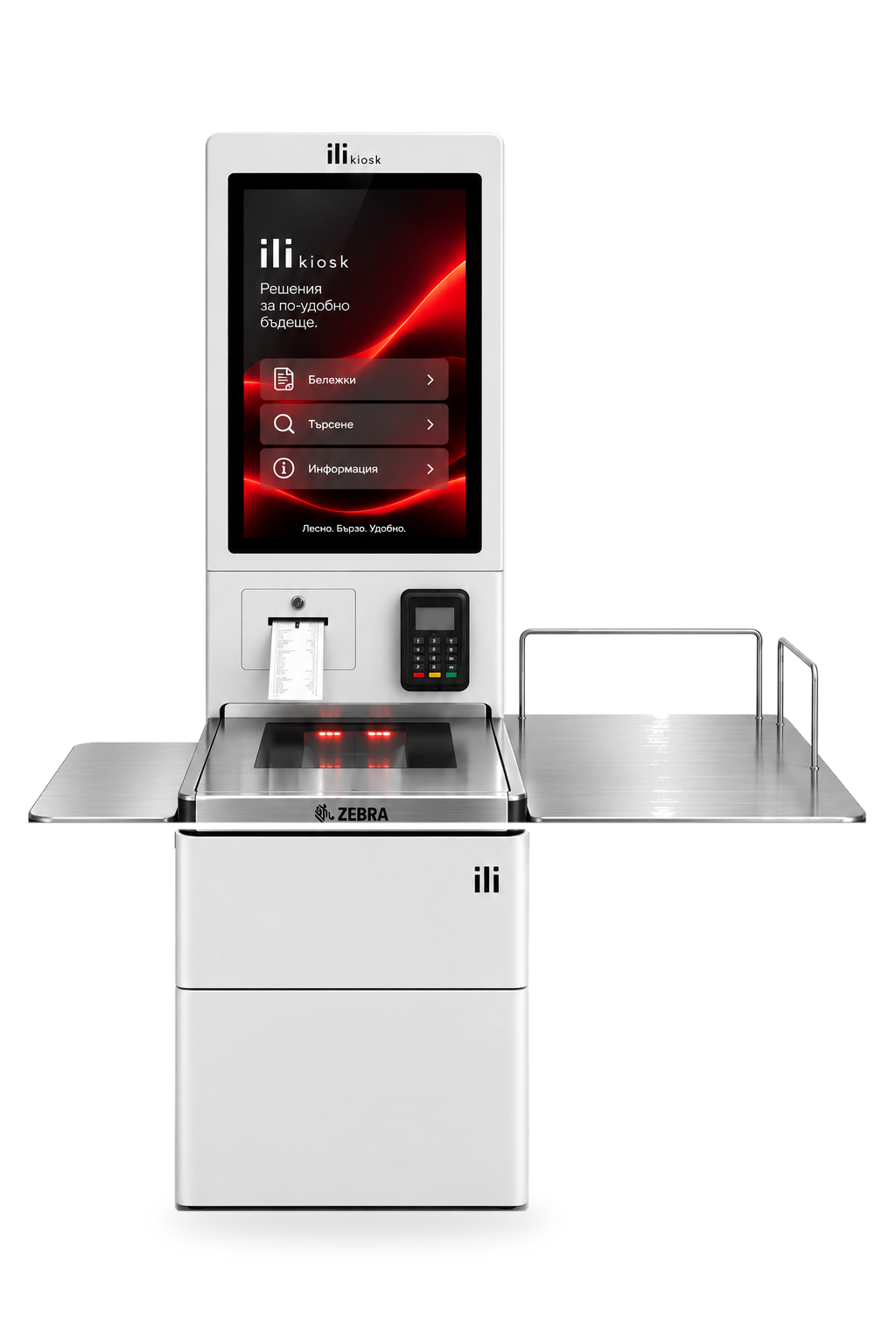
ili Checkout turns the purchase into a self-service process, from product scanning and basket review to payment and completing the sale.
A modular self-checkout system for stores and retail locations, configured around the software, payment process and service model.

MORE PAYMENT POINTS
During higher customer flow, traditional checkouts can become a bottleneck. Self-checkout adds another way to complete a purchase and allows some customers to move through the process independently.
Self-checkout systems can operate alongside traditional checkouts.
The customer scans products, reviews the basket and proceeds to payment.
The configuration can adapt to the organisation and flow of the specific store.
Part of the standard checkout process is completed directly by the customer.
FROM PRODUCT TO RECEIPT
The customer scans each product barcode using the integrated scanner.
The product is added to the purchase and the basket is visible on the touch display.
The customer checks products and quantities before completion.
With a suitable configuration, payment is completed through an integrated terminal.
The sale is completed through the POS and fiscal process, with a document when printing is configured.
The exact process depends on the POS software, fiscal integration and payment system.
SCANNING AT THE CENTRE
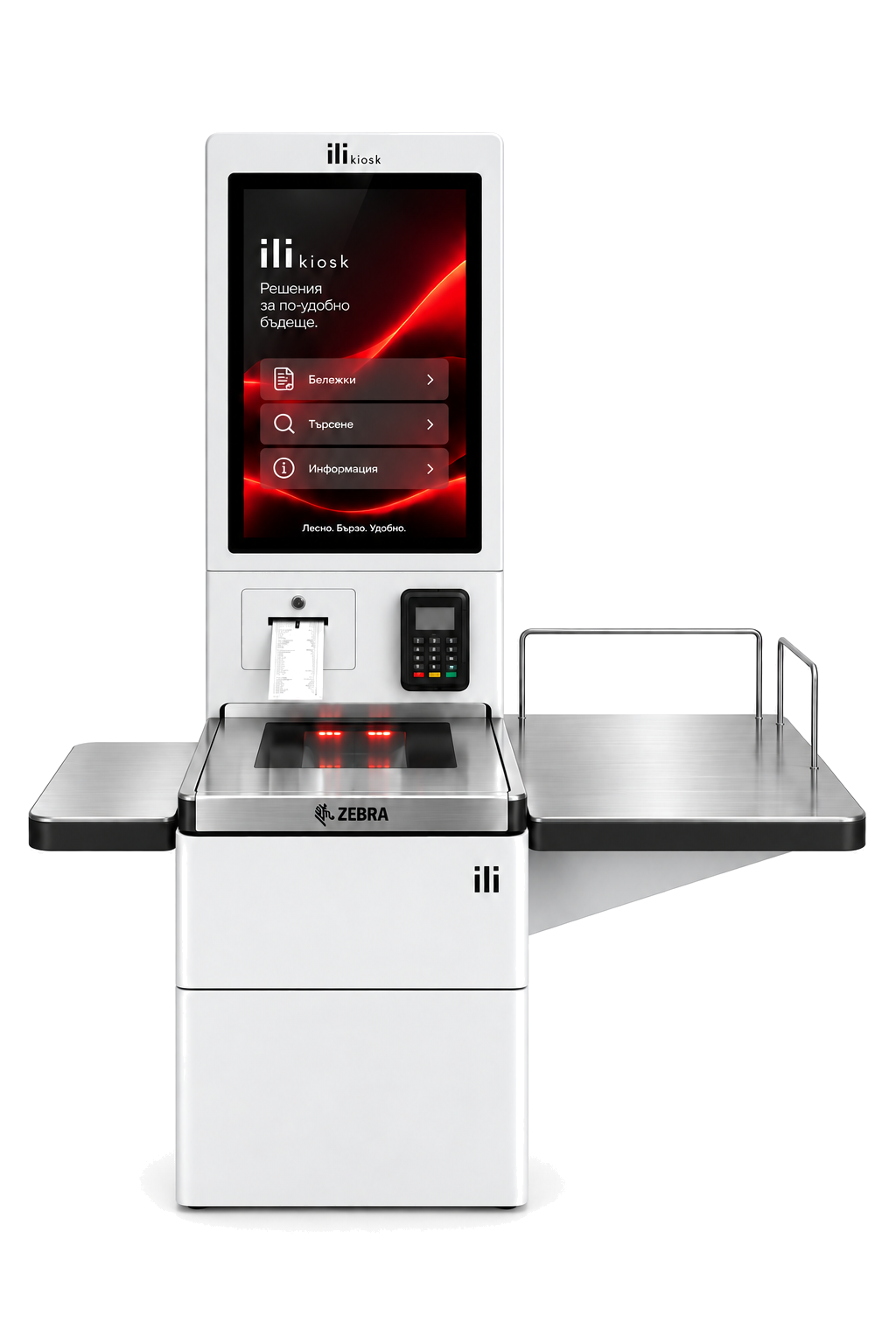
ili Checkout can be configured with a professional barcode scanning and scale solution for self-checkout applications. Product identification and weighing can share one working area where the process requires it.
SPACE FOR THE COMPLETE PROCESS
Self-checkout is more than a screen and scanner. The work area should follow the natural movement of products, from the basket, through scanning, to the area for processed purchases.
ili Checkout can be configured with suitable side or bagging areas according to the project and available space.
PAYMENT AND FISCALISATION
ili Checkout can integrate a payment terminal and the required printing or fiscal components according to the software and requirements of the specific project.
An integrated terminal allows completion at the system when supported by the payment integration.
Fiscalisation is implemented according to the software, fiscal device and project requirements.
The system can include a printer for a receipt or another document according to the configuration.
CONTROL WHEN NEEDED
Additional modules and software mechanisms can be added for monitoring and control according to the project.
Control functions depend on the software, peripherals and integrations used.
INTEGRATION IS PART OF THE SYSTEM
ili Checkout is the hardware foundation. The actual self-checkout process is built through integration between the station, retail software and the store's other systems.
Options are determined after analysing the software, available APIs/interfaces and checkout process.
BUILT FOR SELF-CHECKOUT
A modular self-checkout station developed as a complete working point for scanning, basket management and payment.
ONE FOUNDATION. DIFFERENT CONFIGURATIONS.
Not every checkout process is the same. These are configuration examples, not fixed commercial packages.
For limited spaces and smaller purchases.
Scanning, work area, payment and required printing components.
More product space and a bagging area where the process requires it.
FOR DIFFERENT RETAIL FORMATS
NOT LOOKING FOR FULL SELF-CHECKOUT?
For product catalogue, information and availability checks, selection or ordering, explore ili Kiosk retail solutions.
Retail solutionsDESIGNED AND SUPPORTED HERE
ili Checkout is part of the ili Kiosk line, designed and manufactured in Bulgaria by PC Life. Each project combines construction, professional components, software integration, implementation and technical support.
Control over construction and configuration.
Components selected for the specific checkout process.
Analysis of POS, payment, fiscal and peripheral connections.
Local technical support for the system and components.
FREQUENTLY ASKED QUESTIONS
The customer scans products, reviews the current purchase on the touch display and proceeds to payment after confirmation. The exact process depends on the POS software, payment system and fiscal integration.
ili Kiosk is a modular product line for different self-service applications. ili Checkout is the model developed specifically for retail self-checkout processes with scanning, basket and payment.
Yes. ili Checkout can be configured with a professional scanner / scale module selected for the project and required integration.
Yes. The system can include an integrated payment terminal. The specific payment integration depends on the operator, terminal and software.
The fiscal process is designed around the retail software, fiscal device and requirements of the specific project.
Integration is determined after analysing the POS software and its available interfaces or APIs. Not all systems offer the same integration capabilities.
A camera can be included as an optional module. Its function depends on the software and integration used.
Yes. ili Checkout is modular and configured according to the space, product types, checkout process and required components.
YOUR CHECKOUT PROCESS. YOUR CONFIGURATION.
Tell us how your checkouts work, which POS software you use, what products you sell and how the self-checkout process should look. We will propose the right ili Checkout configuration and components.